What PairVault does
Example setup code
031-45-154
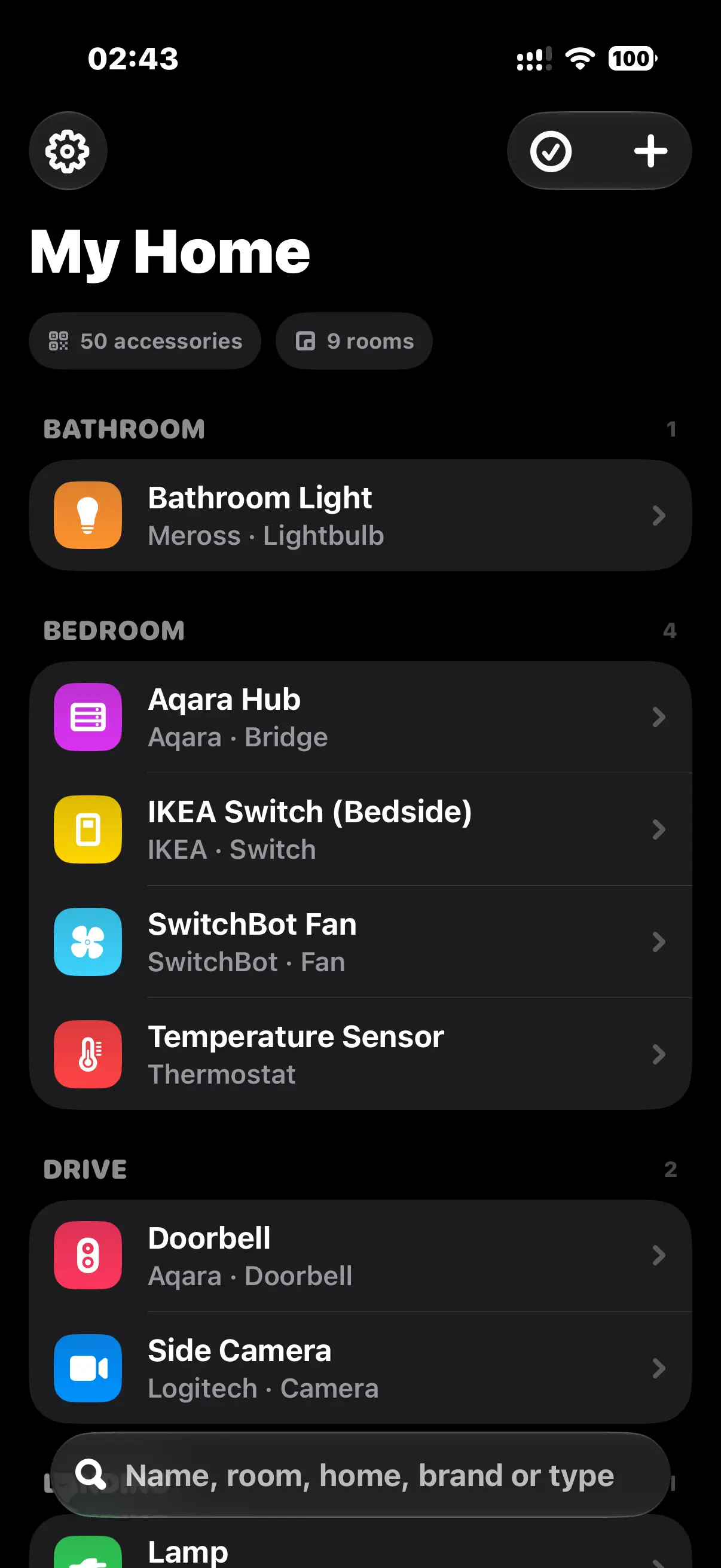
Every smart home accessory ships with a setup code — eight or eleven digits on a tiny sticker, printed on the device itself or on the box it came in. You need it to pair, and you'll need it again the day you reset that accessory, move house, or switch to a new hub. By then the sticker is behind a light fitting, up a wall, or in packaging you threw out two years ago. PairVault keeps every one of them in one place.
Screenshots
Features
Everything about an accessory, kept where you can find it
Scan once, keep forever
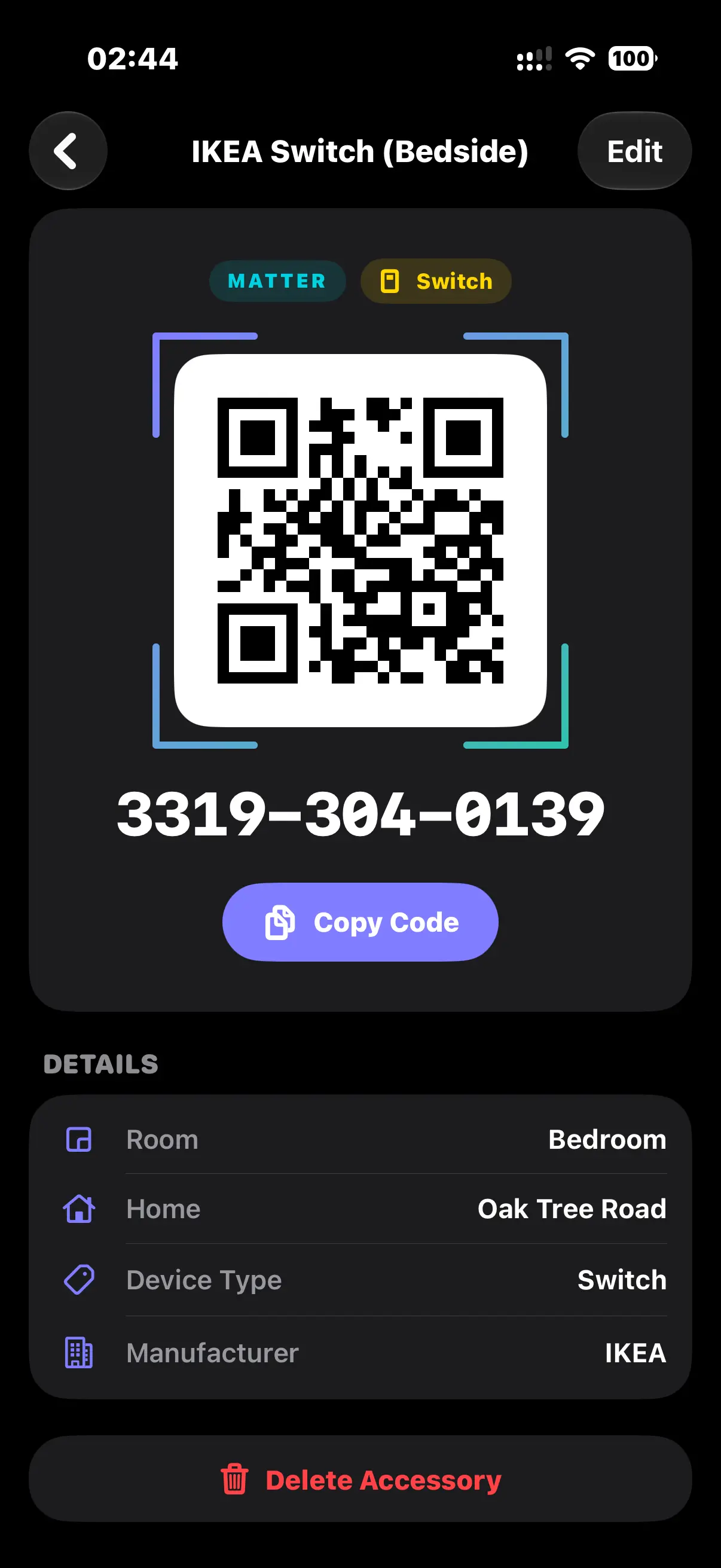
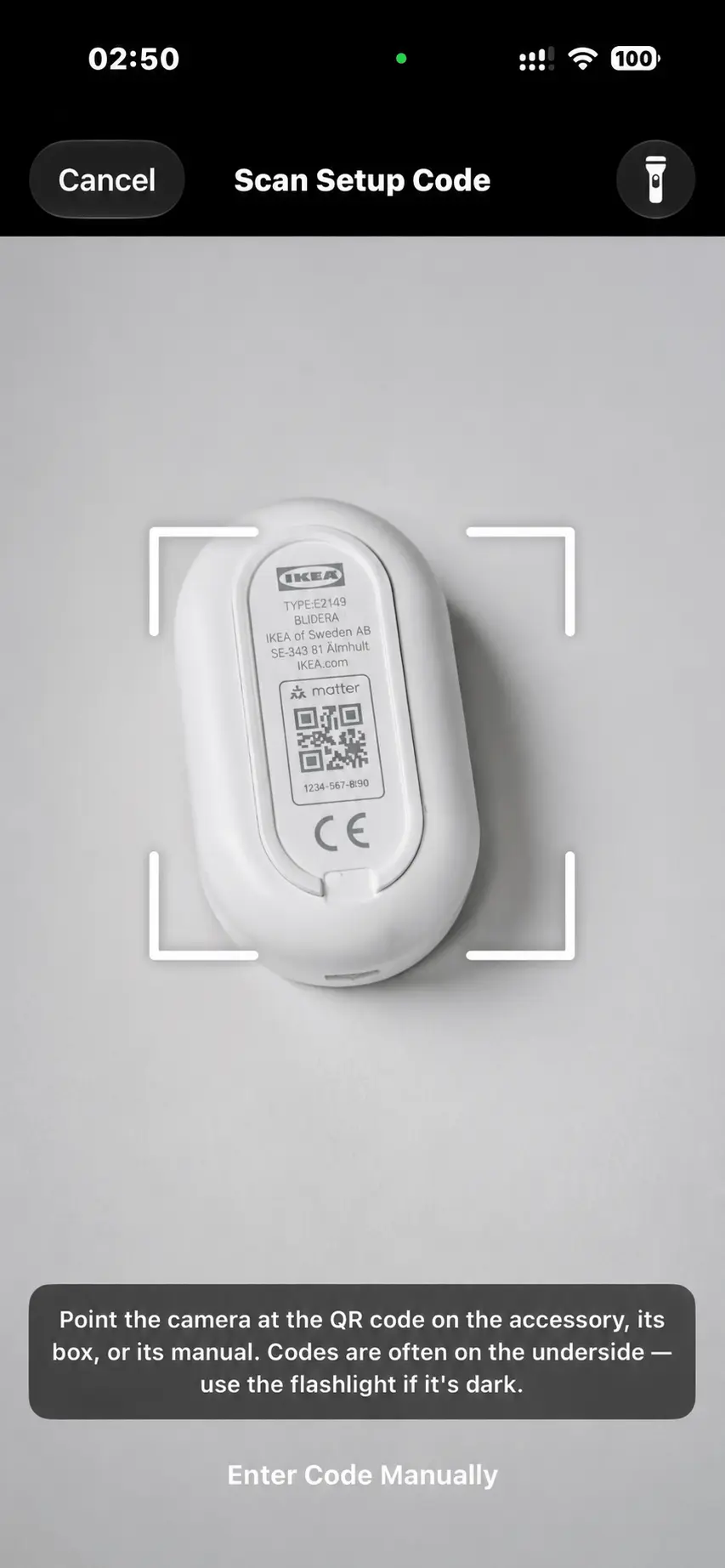
Scan the QR on the accessory, its box or its manual, or type the digits in. The code is stored and shown the way it's printed.
Pair again in seconds
PairVault rebuilds a scannable QR from what it saved, so you pair from your phone instead of unscrewing a fitting to read a sticker.
Imported for you
Connect to Apple Home and accessories appear automatically with names, rooms, homes, manufacturers and models. Choose which homes to import from. Setup codes are the one thing Apple Home never shares, so each code is added once by hand.
Battery at a glance
Current level, a history chart, and a warning when one is running low.
Private by design
Codes sync across your devices through your own private iCloud. No accounts, no third-party servers, no analytics.
Locked down
Face ID, Touch ID or passcode, with a configurable auto-lock delay.
Requirements and pricing
What you need, and what it costs
Requirements
- Devices
- iPhone and iPad.
- System
- iOS 17 or later.
Pricing
Free
Five codes
Store up to five setup codes at no cost.
Unlimited
One-time purchase
One single purchase — never a subscription — unlocks unlimited codes.
Coming soon to the App Store
Support
Get in touch
Frequently asked questions
Why can't PairVault import my setup codes from Apple Home automatically?
Apple Home never exposes setup codes to third-party apps, by design. Each code has to be scanned or typed once.
Where do I find my accessory's setup code?
On a sticker on the device, its box, or in the manual.
Do my codes sync between devices?
Yes, through your own private iCloud.
What if I delete an accessory that came from Apple Home?
It won't be re-imported. You can undo that in Settings → Removed Imports.
Is the purchase a subscription?
No, it’s a one-time purchase.